> ## Documentation Index
> Fetch the complete documentation index at: https://developers.ebioro.com/llms.txt
> Use this file to discover all available pages before exploring further.
# Cross-Chain Payments
> Accept payments from Solana, Ethereum, Base, Arbitrum, NEAR, Tron, and more
## Overview
Cross-chain payments allow your customers to pay from **any supported blockchain**, not just Stellar. Ebioro handles the conversion automatically — funds arrive in your account as USDC on Stellar regardless of which chain the customer pays from.
Cross-chain payments are only available in the **production environment**. The sandbox does not support cross-chain deposits.
## Supported Chains
| Chain | Tokens |
| --------- | ---------- |
| Ethereum | USDC, USDT |
| Base | USDC |
| Arbitrum | USDC |
| Solana | USDC, USDT |
| Tron | USDT |
| BNB Chain | USDT, USDC |
| Optimism | USDC, USDT |
| NEAR | USDC |
Available routes and tokens are dynamic based on liquidity. Use the [routes endpoint](/api-reference/cross-chain/get-routes) to get the current list.
## How It Works
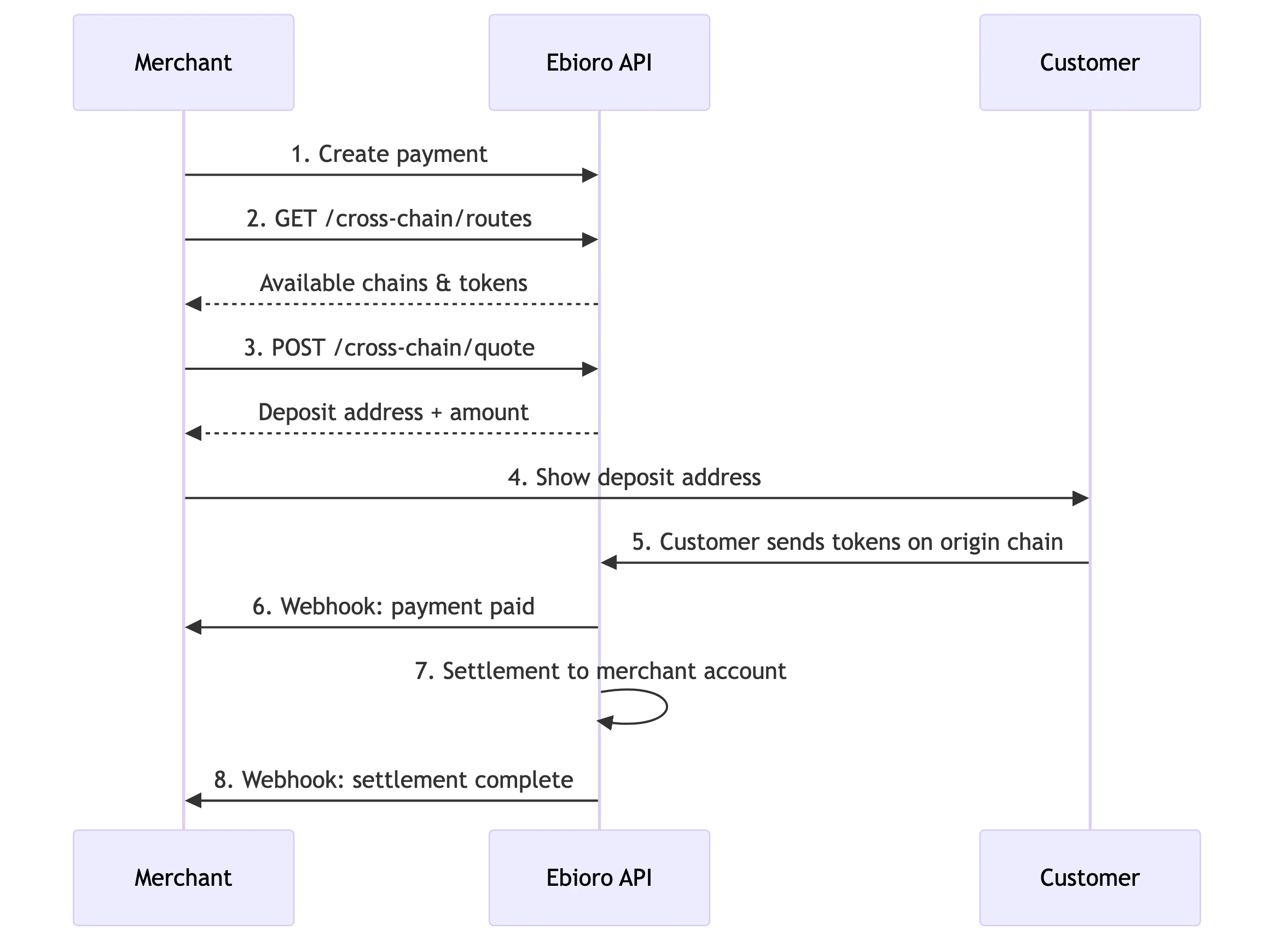
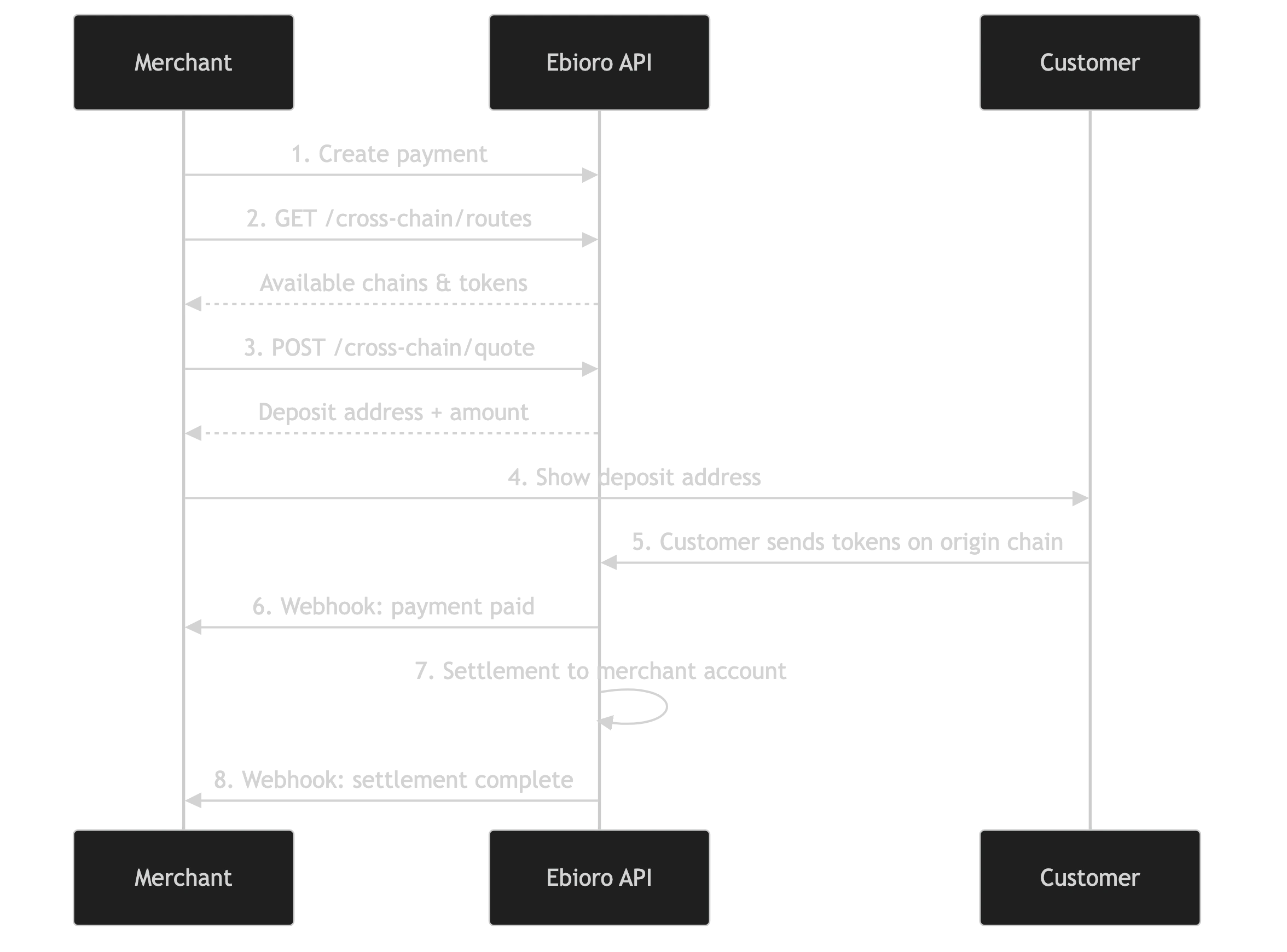 ## Integration Flow
### Step 1: Create a payment
Create a payment as usual via `POST /payments`. This gives you a `checkout_id`.
### Step 2: Get available routes
```bash theme={null}
GET /payments/{checkout_id}/cross-chain/routes
Authorization: Bearer {token}
```
Returns the chains and tokens the customer can pay with, filtered by current liquidity.
### Step 3: Request a quote
Once the customer selects a chain/token:
```bash theme={null}
POST /payments/{checkout_id}/cross-chain/quote
Authorization: Bearer {token}
{
"originChain": "sol",
"originToken": "USDC",
"refundAddress": "customer_solana_address"
}
```
The response includes:
* `depositAddress` — the address on the origin chain where the customer sends funds
* `amountIn` — the exact amount the customer needs to send
* `deadline` — when the quote expires
* `timeEstimateSeconds` — expected completion time in seconds
### Step 4: Customer deposits
The customer sends the specified amount to the `depositAddress` on the origin chain.
### Step 5: Payment completes
Once the deposit is detected on the origin chain, the payment status moves to `paid` and you receive a webhook. The conversion and settlement happen automatically in the background.
### Step 6: Poll status (optional)
You can poll the swap status for real-time updates:
```bash theme={null}
GET /payments/{checkout_id}/cross-chain/status
Authorization: Bearer {token}
```
Returns: `pending_deposit`, `processing`, `completed`, `failed`, or `refunded`.
## Authentication
Cross-chain endpoints support both:
* **Digest Auth** (headers) — for server-to-server API integration
* **Bearer Token** (Authorization header) — for frontend/widget usage
## Error Handling
If the cross-chain swap fails or times out, Ebioro handles the refund to the collection address internally. The merchant does not need to take action.
If the quote expires before the customer deposits, you can request a new quote — the payment stays open.
## Integration Flow
### Step 1: Create a payment
Create a payment as usual via `POST /payments`. This gives you a `checkout_id`.
### Step 2: Get available routes
```bash theme={null}
GET /payments/{checkout_id}/cross-chain/routes
Authorization: Bearer {token}
```
Returns the chains and tokens the customer can pay with, filtered by current liquidity.
### Step 3: Request a quote
Once the customer selects a chain/token:
```bash theme={null}
POST /payments/{checkout_id}/cross-chain/quote
Authorization: Bearer {token}
{
"originChain": "sol",
"originToken": "USDC",
"refundAddress": "customer_solana_address"
}
```
The response includes:
* `depositAddress` — the address on the origin chain where the customer sends funds
* `amountIn` — the exact amount the customer needs to send
* `deadline` — when the quote expires
* `timeEstimateSeconds` — expected completion time in seconds
### Step 4: Customer deposits
The customer sends the specified amount to the `depositAddress` on the origin chain.
### Step 5: Payment completes
Once the deposit is detected on the origin chain, the payment status moves to `paid` and you receive a webhook. The conversion and settlement happen automatically in the background.
### Step 6: Poll status (optional)
You can poll the swap status for real-time updates:
```bash theme={null}
GET /payments/{checkout_id}/cross-chain/status
Authorization: Bearer {token}
```
Returns: `pending_deposit`, `processing`, `completed`, `failed`, or `refunded`.
## Authentication
Cross-chain endpoints support both:
* **Digest Auth** (headers) — for server-to-server API integration
* **Bearer Token** (Authorization header) — for frontend/widget usage
## Error Handling
If the cross-chain swap fails or times out, Ebioro handles the refund to the collection address internally. The merchant does not need to take action.
If the quote expires before the customer deposits, you can request a new quote — the payment stays open.